Mise replaced my entire dev setup
Mise has truly revolutionized my development workflow. Before Mise, managing dependencies felt like a chaotic juggling act. I had n for Node.js versions, SDKMAN! for Java versions, and Homebrew (Linuxbrew) handling everything from Hugo to scattered utilities across various systems. Each tool operated in their own silos, leading to environment drift and constant setup frustration.
Now everything I need is one unified command with mise:
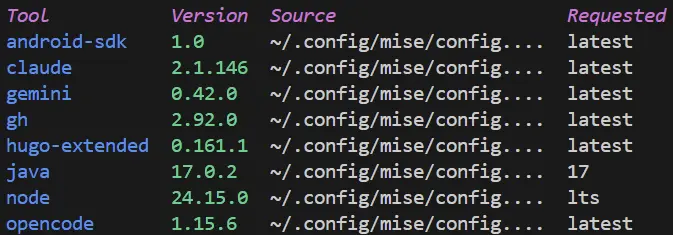
Mise unifies this mess. For example in my previous post I used wget to get the Android Studio command line tools. Then use it to get the Android SDK. Manually add all the environment variables. Not to forget that Java is assumed to be installed in the env already. With mise:
mise use -g java@17
mise use -g android-sdk
And thats it! $JAVA_HOME and $ANDROID_HOME are already added to your PATH. sdkmanager command is now universally available, and ready to use as:
sdkmanager "build-tools@36.1.0" "platform-tools" "platforms;android-36" "tools"
Now go build Android apps. Thank you Mise. 👍
-- end --